The efficient way to debug JS/CSS in production site
Recently I discovered this package, which allows us to run JavaScript & css in any domain.
Before I know about this, I debug JavaScript through Chrome console.
But it’s quite troublesome, when I want to run a whole chunk of JavaScript code.
With this package, I can just write the code in a JS file according the domain, e.g. google.com.js,
so long the URL matched google.com, it will execute the code from google.com.js.
(You can find the google sample code from the installation guide)
Another use case
Another use case for myself, is I can use to scrap website content, and test my script here.
I use Puppeteer to scrap others site content, and use JavaScript to access their DOM.
(refer to my simple module)
Everytime I want to test and see the output, I have to keep running the command over & over again. e.g.
1 | ... |
Running the script take longer time, as need to instantiate the browser, then load the page, evaluate the script, close browser.
With Witchcraft, I can now write the // JS code goes here to mydomain.com.js, and view the output in console.
After the output correct, then I just copy the JS code over to the scraper.
I’ve tried this on one of the eCommerce website
http://shopee.com.my/search?keyword=gopro
And I able to get output
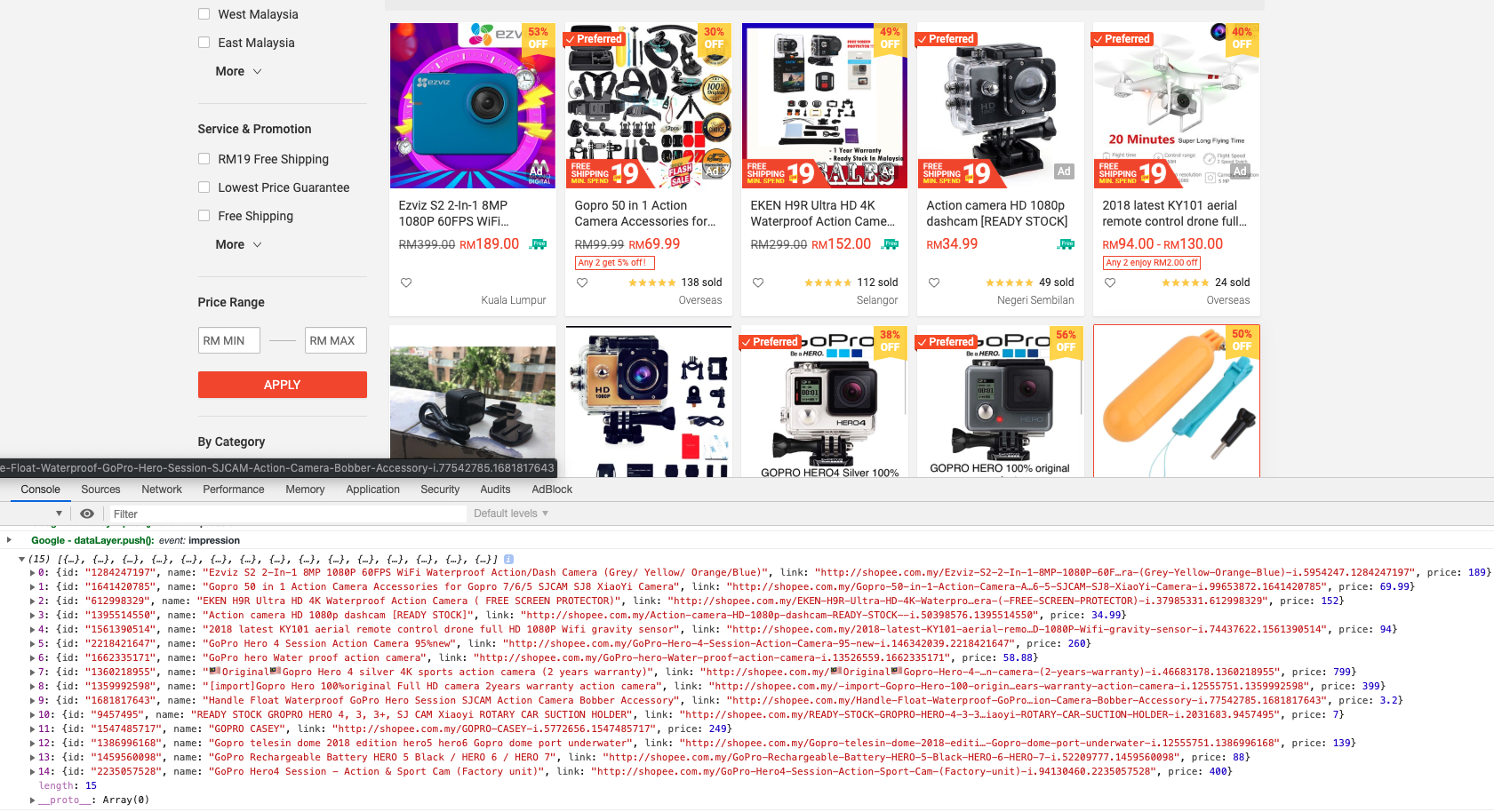
The JavaScript code is pretty long
1 | setTimeout(function() { |
You won’t want to write these in Chrome console right? 😏